
The Complete Guide to the Pi Coding Agent (2027)
How the pi coding agent works: install, providers, sessions, MCP, extensions and skills, plus how it compares to Claude Code and why OpenClaw started on it.
Updated 15 min read

How the pi coding agent works: install, providers, sessions, MCP, extensions and skills, plus how it compares to Claude Code and why OpenClaw started on it.
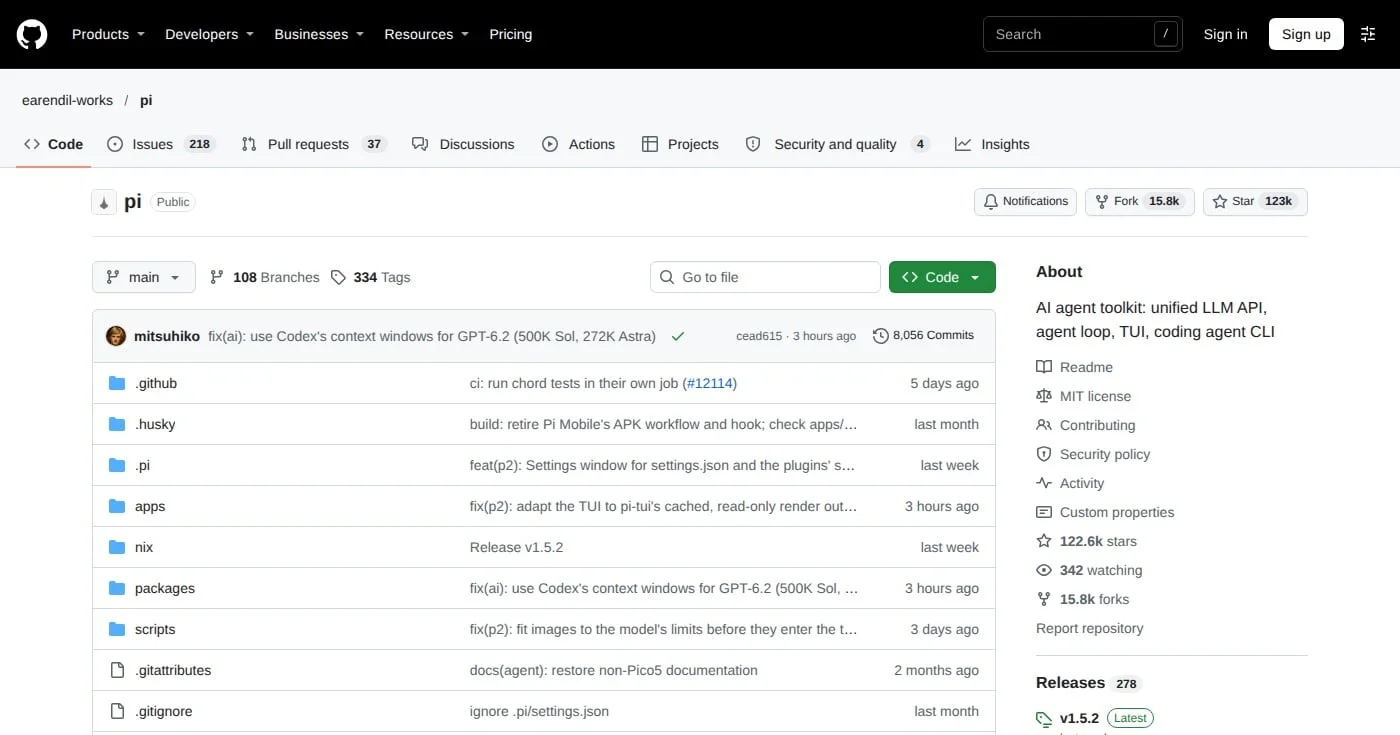
The pi coding agent is a minimal terminal-based AI coding tool built by Mario Zechner (@badlogic) and now published by Earendil as @earendil-works/pi-coding-agent. It starts with four tools (read, write, edit, bash), and at launch its system prompt and tool definitions came in below 1,000 tokens, with extensibility as the core feature rather than a checkbox.
As of November 17, 2026 the earendil-works/pi repository has more than 122,000 GitHub stars, and the npm package logged about 6.4 million downloads in the week of November 10 to 16.
This guide covers installing pi with one command, connecting a provider, working with sessions and MCP, and building TypeScript extensions that change how you work with any frontier model.
The pi coding agent is an open-source terminal coding harness built on the premise that a coding assistant should provide primitives, not opinions. Where Claude Code or Cursor bundle features by default, pi ships the smallest viable core: four default tools (read, write, edit, bash) that any model with agentic training knows how to use.
It runs on Windows, macOS, and Linux and needs Node.js 22.19 or newer. You interact through a terminal UI built on @earendil-works/pi-tui, a TUI library with differential rendering. Since Pi 1.0 the interface runs fullscreen by default; set tuiMode to "regular" to keep your terminal's normal scrollback.
Pi lives in the earendil-works/pi monorepo, which includes several composable packages:
Package | Description |
|---|---|
| Unified multi-provider LLM API |
| Agent runtime with tool calling and state management |
| The CLI you install and run |
| Terminal UI library with differential rendering |
| Durable conversation, task, and document runtime |
| Vendor-neutral telemetry contracts and schemas |
The Slack and chat automation that used to live in the monorepo is now a separate project, earendil-works/pi-chat.
The coding agent space has consolidated around a handful of heavy incumbents. Claude Code, Codex, Cursor, and Cline each pull toward more features, larger system prompts, and tighter coupling to specific models. Pi pulls in the opposite direction.
The traction is measurable. The pi.dev package catalog lists more than 5,600 community packages, and OpenClaw (about 395,000 GitHub stars) was built on pi's components. A product that large puts its dependencies under load that most open-source tools never see.
The creator, Mario Zechner, is no newcomer. He built libGDX, a cross-platform game framework with 25,000+ GitHub stars, and has shipped agentic projects including Sitegeist, a browser-use agent.
Pi started as a personal tool after Claude Code accumulated features he didn't use, flickered, and changed its system prompt and tools with each release.
He gave it a name that is "entirely un-Google-able, so there will never be any users." That strategy failed. In April 2026 Zechner joined Earendil and took pi with him: the repository moved from badlogic/pi-mono to earendil-works/pi, the core stays MIT licensed, and he stays in charge of pi decisions.
Pi's architecture has four layers that stack cleanly: the unified LLM API, the agent runtime, the tool layer, and the extension and customization system.
@earendil-works/pi-ai routes every request to a provider that owns its own models, auth, and stream behavior. Providers share a small set of wire protocols: Anthropic models use Anthropic Messages, OpenAI uses the Responses API, and xAI, Groq, Cerebras, OpenRouter and most others share OpenAI Completions, according to the pi-ai README. That covers dozens of providers without model-specific code in your extensions or skills.
The key capability this enables is context handoff. You can start a session with Claude Opus, switch to GPT for a second opinion, then move to Gemini for large-context retrieval, all inside the same session history.
Text, tool calls and tool results carry over unchanged. Thinking blocks from a different model are dropped, because signatures and encrypted reasoning only work with the model that produced them.
Cost tracking reports whether a figure is the billed cost from the provider or an estimate from the model catalog's rates. Zechner's launch post explains why: providers report token counts at different points in the stream, which makes exact accounting hard when a request is aborted.
For personal use, the tracking is accurate enough. If you need to attribute per-user costs in a service, you will need supplementary billing instrumentation.
@earendil-works/pi-agent-core handles the orchestration loop: send the request, execute tool calls, record the results, and start another turn until no more tool calls are needed, as the How Pi Works page describes. The loop emits events for everything, which is how extensions can build reactive UIs and how you can observe exactly what the model is doing at each step.
There are no max-step knobs baked in. Zechner wrote that he "never found a use case for that," so the loop runs until the model stops calling tools. If you need guardrails, build them in an extension.
The minimal toolset is deliberate. Zechner's argument is that frontier models have been RL-trained to understand read, write, edit, and bash without elaborate instructions.
The edit tool applies exact text replacements: oldText must match character-for-character, including whitespace. This forces surgical precision over whole-file rewrites, which reduces the chance of the model accidentally modifying code it was not supposed to touch.
If you want to restrict the agent to read-only exploration during planning or review, pi also provides grep, find, and ls:
pi --tools read,grep,find,lsThis gives you a safe analysis mode without the agent being able to modify files or execute arbitrary commands.
Extensions are TypeScript modules that plug into every surface of pi's runtime. They can register new tools, add slash commands, intercept tool calls, render custom UI components, register model providers and MCP servers, and hook into compaction. The extensions docs list example uses such as permission gates, git checkpointing, path protection and custom compaction, plus a snake game to play while you wait.
The extension API is async-friendly. An extension's factory function can be asynchronous, which is useful for one-time initialization like fetching remote model lists before calling pi.registerProvider(). Pi awaits async factories before startup continues.
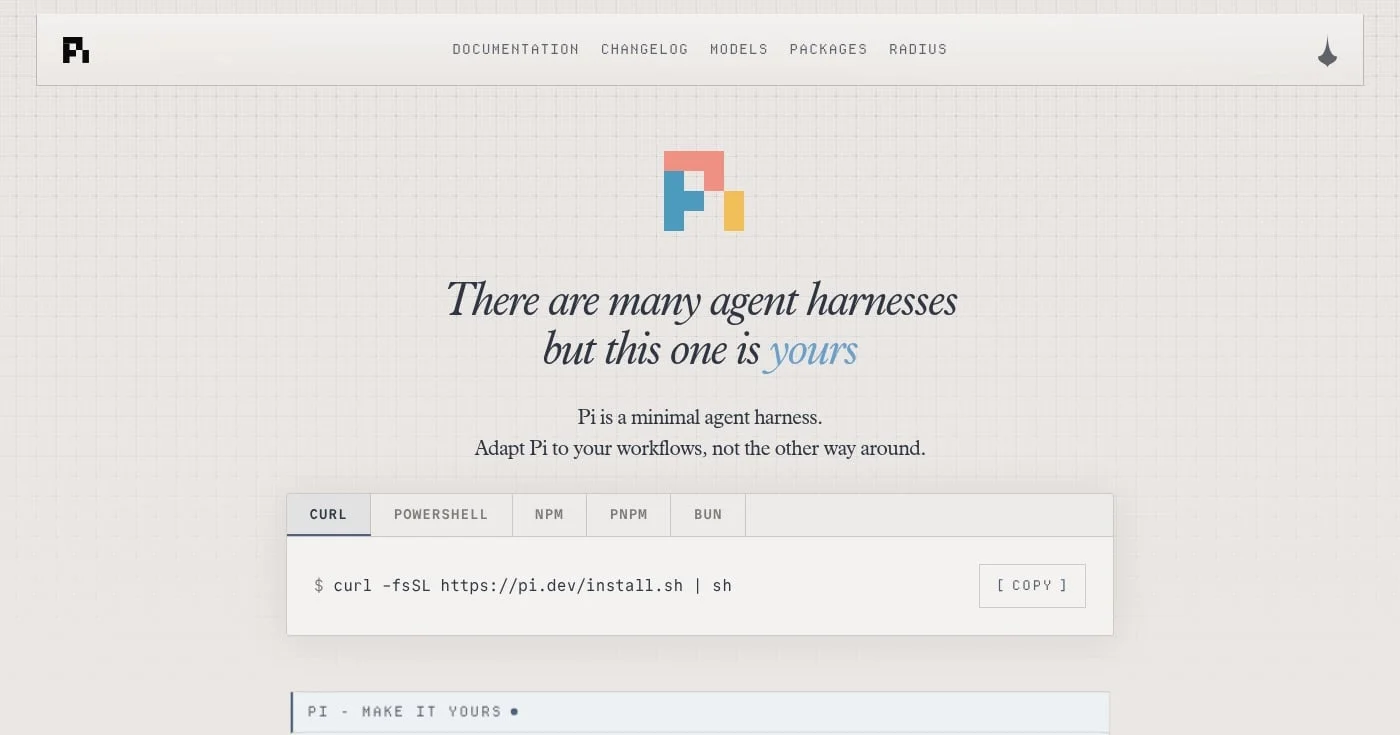
Getting pi running takes one command on macOS or Linux:
curl -fsSL https://pi.dev/install.sh | shOn Windows, run powershell -c "irm https://pi.dev/install.ps1 | iex". The installer pins all dependencies and updates pi with pi update. You can also install from npm, which does not pin transitive dependencies:
npm install -g --ignore-scripts @earendil-works/pi-coding-agentThen start pi in your project folder and connect a model:
cd /path/to/project
pi
/login
/login walks you through a subscription sign-in or stores an API key. Run /model afterward to pick a different model. If you prefer environment variables, for example in CI, export ANTHROPIC_API_KEY=sk-ant-... before starting pi works too.
The provider list covers most major model families:
Provider Type | Examples |
|---|---|
Subscription (OAuth) | Anthropic Claude Pro/Max, ChatGPT Plus/Pro (OpenAI Codex), GitHub Copilot |
API key | Anthropic, OpenAI, Azure OpenAI, Google Gemini, Vertex AI, Amazon Bedrock, DeepSeek, Mistral, Groq, Cerebras, xAI, OpenRouter, Vercel AI Gateway, Hugging Face, Fireworks, MiniMax, Moonshot AI |
Self-hosted | llama.cpp router via |
The subscription list comes from the pi-ai README, and the API-key and local options from the providers and models docs. Switch models mid-session with /model (Ctrl+L) without losing any session history. Cycle through a curated subset with Ctrl+P after configuring scoped models via /scoped-models.
Pi loads AGENTS.md (or CLAUDE.md) from ~/.pi/agent/, from the working directory, and from its parent directories, per the configuration docs. A context file applies whenever pi runs in its directory or anywhere below it.
Use the global file for cross-project conventions like preferred language, code style, and common commands. Put repository-specific instructions in an AGENTS.md at the project root.
To replace the default system prompt entirely, create .pi/SYSTEM.md in your project directory. To append instructions without replacing, use .pi/APPEND_SYSTEM.md. Project .pi files load only after you grant the folder project trust.
This is the core of pi's context engineering model: instead of a large default prompt, you inject exactly what this model needs to be effective on this project.
Interactive mode is one of four ways to run pi. The other three matter for automation and integration:
Print mode runs pi against a single prompt and exits:
cat README.md | pi -p "Summarize this text"JSON mode writes agent events as JSONL, useful for observability pipelines:
pi --mode json "Inspect this repository" > events.jsonlRPC mode accepts JSONL commands on stdin and writes responses and events to stdout, for non-Node.js integrations:
pi --mode rpc --no-sessionSDK mode lets you embed pi in a Node.js or Bun application directly, as the SDK docs show:
import { createAgentSession, SessionManager } from "@earendil-works/pi-coding-agent";

const { session } = await createAgentSession({
  sessionManager: SessionManager.inMemory(),
});

try {
  await session.prompt("What files are in the current directory?");
  console.log(session.getLastAssistantText());
} finally {
  session.dispose();
}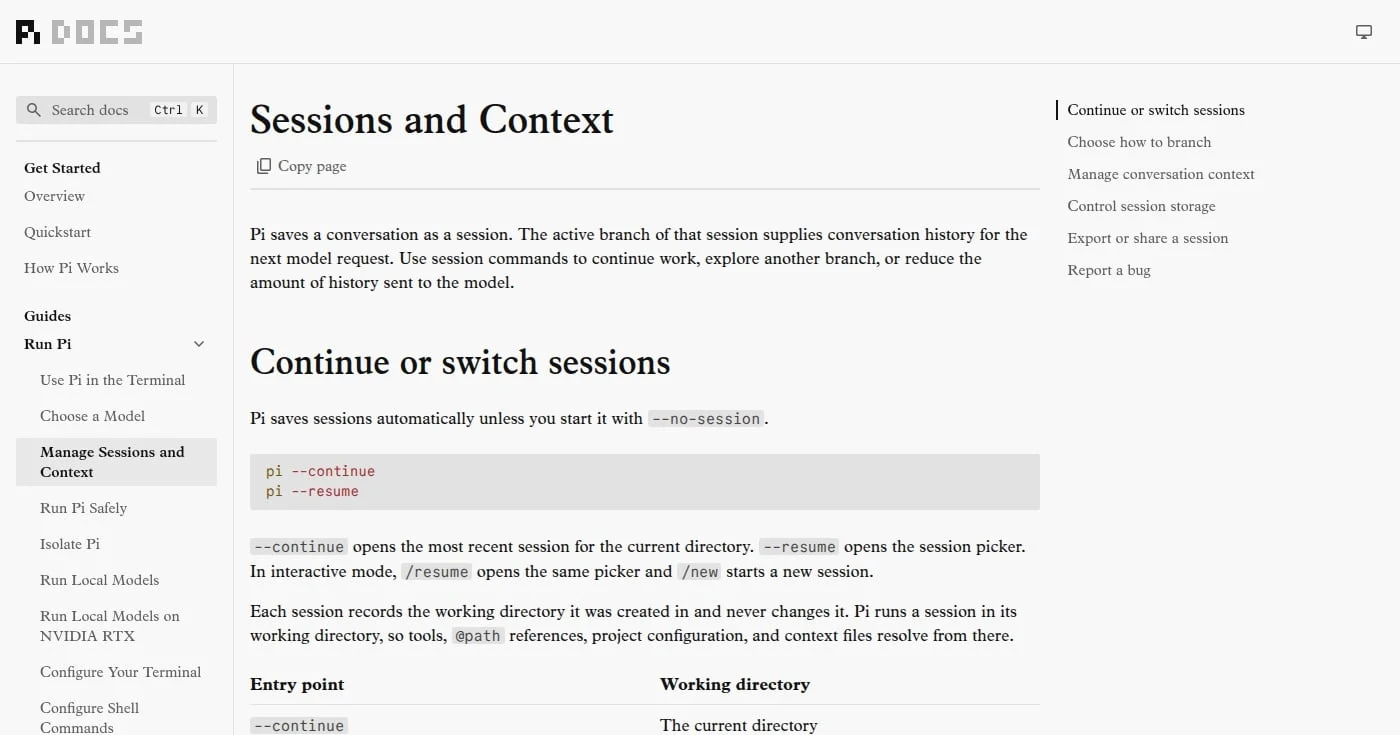
Every persistent pi session is a JSONL file with a tree structure. Each entry has an ID and refers to its parent, so continuing from an earlier point creates another branch in the same file. Sessions auto-save to ~/.pi/agent/sessions/, grouped by working directory, according to the sessions docs.
Useful CLI flags for session control:
pi -c                       # Continue most recent session
pi -r                       # Browse all past sessions
pi --session <id>           # Resume a specific session
pi --fork <id>              # Fork an existing session into a new one
pi --no-session # Ephemeral mode, nothing saved/tree moves within the current session file and lets you continue from any previous point. Filters narrow the view to user messages only, hide tool results, or show only entries you have labeled with Shift+L. You can fold and unfold branches with Ctrl+Left and Ctrl+Right.
/fork creates a new session from an earlier user message. /clone copies the active branch into a new session. These commands mean you never have to choose between exploring a risky refactor and preserving a working state.
Pressing Escape twice with an empty editor opens /tree by default (the doubleEscapeAction setting can switch it to fork or turn it off). It is easy to miss, and it makes branching a two-keystroke habit.
When the active context approaches the model's limit, pi normally compacts older history automatically. Manual compaction with /compact accepts instructions about what the summary should preserve.
Compaction adds a summary and keeps recent messages, but it never deletes the original session entries. Use /tree to revisit anything that got summarized away.
Skills follow the Agent Skills specification. At startup pi adds only each skill's name, description and path to the system prompt. The model reads the full SKILL.md when a task matches, and /skill:name forces one, per the skills docs.
That progressive loading is the same argument Zechner made against always-on tool lists: in his launch post, Playwright MCP's 21 tools cost 13.7k tokens of context in every session, whether you used them or not.
Create a skill at ~/.pi/agent/skills/my-skill/SKILL.md:
---
name: my-skill
description: Do X. Use when the user asks about X.
---

# My Skill

1. Do this
2. Then thatExtensions are TypeScript modules with full access to pi's runtime APIs. They can register custom tools, add slash commands, intercept tool calls, render UI components, and handle keyboard shortcuts. A minimal extension that adds a deploy tool:
import type { ExtensionAPI } from "@earendil-works/pi-coding-agent";
import { Type } from "typebox";

export default function (pi: ExtensionAPI) {
  pi.registerTool({
    name: "deploy",
    label: "Deploy",
    description: "Deploy the current project",
    parameters: Type.Object({ env: Type.String() }),
    async execute(toolCallId, params) {
      return {
        content: [{ type: "text", text: `Deployed to ${params.env}` }],
        details: {},
      };
    },
  });
}
Extensions live at ~/.pi/agent/extensions/ (global) or .pi/extensions/ (project-local). Extensions in those auto-discovered locations hot-reload with /reload without restarting pi. The async factory pattern lets you fetch remote data before registering providers.
Pi packages bundle extensions, skills, prompt templates, and themes for sharing via npm or git. The package format adds a pi key to package.json:
{
  "name": "my-pi-package",
  "keywords": ["pi-package"],
  "pi": {
    "extensions": ["./extensions"],
    "skills": ["./skills"],
    "prompts": ["./prompts"]
  }
}
Install packages with:
pi install npm:@foo/pi-tools
pi install git:github.com/user/repo
pi install git:github.com/user/repo@v1.2.3
Browse packages in the pi.dev package catalog, where the pi-package keyword makes an npm package eligible to appear. Security warning: packages can execute extension code with full system access. Review source before installing any third-party package.
Pi's launch post said it "does not and will not support MCP." That changed in version 0.99.0 on September 29, 2026, which added MCP, codemode and tool search as built-in extensions. Add a server with pi mcp add, or manage connections with /mcp.
The default keeps the original token argument intact. With the default codemode exposure, MCP tools are not declared to the model; scripts find and call them through codemode, and deferred exposure loads matches through tool_search only when needed, per the MCP docs. Give a small, frequently used server direct exposure if you want its tools declared like built-ins.
Tool | Best For | Pricing | Open Source |
|---|---|---|---|
Terminal power users, SDK integrations, multi-model workflows | Free (MIT) + API costs | Yes | |
Anthropic-native workflows, batteries-included experience | Paid Claude plan or Console (API) account | No | |
Git-first workflows, simple setup, Python users | Free + API costs | Yes | |
VS Code integration, MCP support | Free + API costs | Yes | |
Personal assistant that grew out of pi | Free | Yes |
Pi wins when you need multi-model flexibility, terminal-native workflows, or you are building your own agent on top of an extensible SDK. Claude Code wins when you want the deepest Anthropic integration and are happy with the feature set as-is.
Pi deliberately ships without sub-agents and plan mode, and its launch post also ruled out built-in to-dos and background bash. Hunting for hidden flags to enable these will waste your time.
Each omission has a documented rationale in Zechner's blog post. The pi README's advice is to "ask Pi to build what you want, or install a package that does it your way." The absence is the feature: it keeps the core stable across releases.
The most common productivity gap is not using context files. Pi's small system prompt works because you inject project-specific context through AGENTS.md.
A file describing your stack, common commands, and architecture shortcuts gives the model what it needs without ballooning the default prompt. Developers who skip this step then blame pi for not knowing their project's conventions.
Extensions run inside the pi process with your operating-system permissions, and pi has no built-in permission system for files, processes, network or credentials, as the pi README notes. An extension from an unknown npm package has the same access to your system as any script you run as your user.
Review source code before installing third-party packages, and containerize or sandbox pi for untrusted or unattended work. The README describes three patterns: the Gondolin micro-VM extension, plain Docker, and OpenShell.
Developers who do not discover /tree end up manually re-running prompts when an approach fails. Every session preserves all branches: use /tree to rewind to any previous message and continue from there rather than starting a new session and re-establishing context. Double-Escape opens it from an empty editor.
The SDK and RPC modes are how you build pi into your own products.
If you are building a bot, a custom UI, or a CI pipeline that needs agentic code edits, createAgentSession() is the right entry point for Node.js or Bun, not a shell script wrapping pi -p. The RPC mode over stdin/stdout supports non-Node.js integration without spawning a full interactive TUI.
OpenClaw, a personal AI assistant with about 395,000 GitHub stars, is the best-known product to grow out of pi.
In January 2026, Armin Ronacher wrote that "what's under the hood of OpenClaw is a little coding agent called Pi." He added that pi is "a collection of little components that you can build your own agent on top. That's how OpenClaw is built."
OpenClaw has since taken its runtime in-house. Its agent runtime docs now say the agent loop lives in OpenClaw's own @openclaw/agent-core package, that "no external agent framework packages remain," and that @earendil-works/pi-tui stays as a terminal UI dependency. The legacy runtime id pi now maps to openclaw.
Pi's components were good enough to carry a product through viral growth, and modular enough that OpenClaw could replace the parts it wanted to own while keeping the ones it didn't. With 300-plus contributors and 278 releases as of November 2026, pi keeps shipping for the teams that still build directly on it.
For your own product, that is the case for starting on pi: you get a maintained foundation on day one, and you can take over pieces when you outgrow them.
Pi's bet is that minimal and extensible beats comprehensive and opinionated. With four default tools and a small system prompt, it gives you primitives that stay stable while the LLM ecosystem churns through new models. The TypeScript extension API builds everything else, from git checkpoints to custom tools and providers.
Start with curl -fsSL https://pi.dev/install.sh | sh, run /login to connect your provider, and populate an AGENTS.md in your most-used project directory. That context file, more than any feature, is what separates a generic coding assistant from one that knows your codebase.

Gemini wins on price, storage and Google apps; ChatGPT wins on coding and agent access. Plans, models and team seats compared, checked 27 Nov 2026.

A practical Gemini API guide for teams: AI Studio keys, Gemini 4 model choice, free-tier limits, the 1 December 2026 price change, and Vertex versus Firebase.

12 AI browsers compared on agent features, privacy, platforms and real prices, with what changed after ChatGPT Atlas and Arc shut down.
